A small Node.js project with two demos:
Jev in Practice: Qualifying Sales Leads with TypeScript
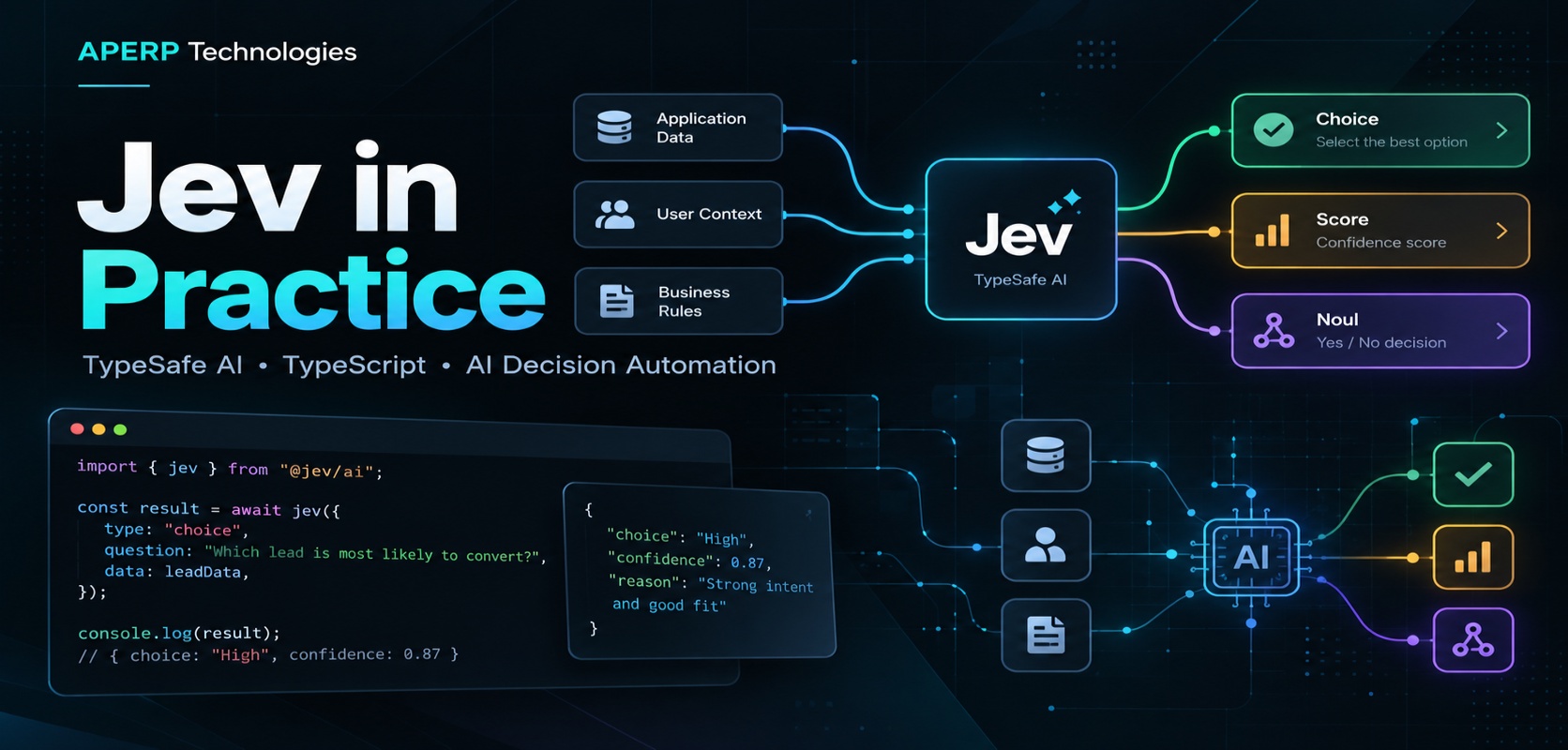
In the last post, we covered what Jev is and why it's different from a regular chat model. This time, let's get hands-on with a scenario a lot of teams deal with every day: inbound sales leads. By the end of this post, you'll have a working TypeScript project that reads a raw contact-form message and decides, in milliseconds, whether it's a real lead, what the sender wants, and how close they are to buying.
What we're building
- A single yes/no question — does this inbound message show genuine buying interest?
- Three questions in one request — genuine interest (yes/no), what the sender is actually asking for (multiple choice), and how close they are to purchasing (a score).
Then, to go beyond "running a demo file," we'll wire the output into a small lead-routing function — the kind of thing that would actually sit in front of your CRM.
Setting up the project
The setup is the same lightweight TypeScript/Node structure from Part 1 — nothing exotic here, which is part of the point.
package.json
{
  "name": "jev-lead-qualifier-demo",
  "version": "1.0.0",
  "private": true,
  "type": "module",
  "scripts": {
    "demo": "tsx --env-file=.env demo.ts",
    "all": "tsx --env-file=.env all-questions.ts",
    "check": "tsc --noEmit"
  },
  "engines": {
    "node": ">=22"
  },
  "dependencies": {
    "@typesafe-ai/sdk": "^0.6.0"
  },
  "devDependencies": {
    "@types/node": "^26.6.2",
    "tsx": "^4.23.13",
    "typescript": "^7.0.2"
  }
}
A few things worth noting before you copy this:
- "type": "module" — the project uses ES modules, so you get to use plain import/await at the top level instead of wrapping everything in an async function.
- tsx runs the .ts files directly, no separate build step needed for local development.
- --env-file=.env loads your API key automatically — no dotenv package required.
- Node 22+ is required. If you're on an older LTS version, this is a good excuse to upgrade.
The tsconfig.json is unremarkable but worth having correct:
{
  "compilerOptions": {
    "target": "ES2022",
    "module": "NodeNext",
    "moduleResolution": "NodeNext",
    "strict": true,
    "noEmit": true,
    "skipLibCheck": true,
    "types": ["node"]
  },
  "include": ["*.ts"]
}
strict: true matters here more than usual — Jev's SDK is built around typed responses, and you lose most of that benefit if strict mode is off.
Getting it running:
npm ci
cp .env.example .env
# then paste your TypeSafe API key into .env
If you don't have a TypeSafe key yet (their direct API is still waitlist-gated), remember from Part 1 that you can get equivalent access with no waitlist through Vercel AI Gateway, OpenRouter, or Cloudflare AI Gateway instead — you'd just swap the client setup for the gateway's SDK.
Your first call: a single yes/no question
Here's demo.ts:
import { noul, TypeSafeClient } from "@typesafe-ai/sdk";

if (!process.env.TYPESAFE_API_KEY) {
  console.error("Add your TypeSafe API key to .env before running the demo.");
  process.exit(1);
}

const client = new TypeSafeClient();

const state = {
  message:
    "Hey, we're a 40-person team looking to switch off our current tool. Can we get a demo this week?",
};

const startedAt = performance.now();
const response = await client.systemOne({
  state,
  questions: {
    isGenuineLead: noul("Does `message` show genuine interest in buying the product?"),
  },
});
const elapsedMs = performance.now() - startedAt;

console.dir(response, { depth: null });
console.log(`Elapsed: ${elapsedMs.toFixed(0)} ms`);
Same pattern as Part 1: state holds the raw text, noul(...) declares a yes/no question, and the question's name (isGenuineLead) is exactly what you'll use to read the answer.
Run it with npm run demo:
{
  model: "jev-1.13.0",
  answers: {
    isGenuineLead: { noul: 0.97 }
  },
  usage: { inputTokens: 261, outputTokens: 21 }
}
Elapsed: 109 ms
97% confidence — makes sense, since the message names a company size and a concrete timeframe ("this week"). Swap the message for something like "just checking out your website, cool product" and rerun — you'll see that number drop noticeably.
Leveling up: three questions in one request
A single yes/no rarely tells you enough to actually route a lead. all-questions.ts asks for a classification and a purchase-readiness score at the same time:
import { choice, noul, score, TypeSafeClient } from "@typesafe-ai/sdk";

if (!process.env.TYPESAFE_API_KEY) {
  console.error("Add your TypeSafe API key to .env before running the demo.");
  process.exit(1);
}

const client = new TypeSafeClient();

const state = {
  message:
    "Hey, we're a 40-person team looking to switch off our current tool. Can we get a demo this week?",
};

const startedAt = performance.now();
const response = await client.systemOne({
  state,
  questions: {
    isGenuineLead: noul("Does `message` show genuine interest in buying the product?"),
    requestType: choice("What is the sender mainly asking for in `message`?", {
      demo: "Wants a product demo or walkthrough.",
      pricing: "Wants information about pricing or plans.",
      support: "Has a problem with an existing account or product.",
      spam: "Unrelated, promotional, or automated content.",
    }),
    buyingIntent: score("How close is the sender to making a purchase decision?", [
      "Just browsing or gathering general information.",
      "Actively comparing options and evaluating fit.",
      "Ready to buy and looking to move quickly.",
    ]),
  },
});
const elapsedMs = performance.now() - startedAt;

console.dir(response, { depth: null });
console.log(`Elapsed: ${elapsedMs.toFixed(0)} ms`);

const hotLeadThreshold = 0.7; // Illustrative demo threshold.
if (response.answers.isGenuineLead.noul >= hotLeadThreshold) {
  console.log("Notify the sales team immediately.");
} else {
  console.log("Add to the nurture email sequence.");
}
Notes on the new question types here, applied to this scenario:
- choice(...) gives Jev four named buckets — demo, pricing, support, spam — each with a plain description. You get probabilities for all four back, not just the winner, so you can see how confidently it ruled out "spam."
- score(...) rates buying readiness across three described stages. The result can land between stages — a 1.6 means the sender is leaning toward "ready to buy" but not fully there yet.
- All three questions share the same state and run in one request, evaluated independently and in parallel.
Run npm run all:
{
  model: "jev-1.13.0",
  answers: {
    isGenuineLead: { noul: 0.97 },
    requestType: {
      choice: "demo",
      confidence: 0.95,
      probabilities: { demo: 0.95, pricing: 0.03, support: 0.01, spam: 0.01 }
    },
    buyingIntent: {
      score: 1.65,
      confidence: 0.86,
      probabilities: [0.05, 0.25, 0.70]
    }
  },
  usage: { inputTokens: 312, outputTokens: 47 }
}
Elapsed: 134 ms
Notify the sales team immediately.
Same reading pattern as always: response.answers.<the name you chose>.<the question type>.
Taking it further: an actual lead router
Printing to a console is a good sanity check, but here's the version you'd actually ship — a function that reads the message and returns a pipeline stage your CRM integration can act on:
import { choice, noul, TypeSafeClient } from "@typesafe-ai/sdk";

const client = new TypeSafeClient();

type PipelineStage = "hot-lead" | "nurture" | "support-handoff" | "discard";

async function qualifyLead(message: string): Promise<PipelineStage> {
  const { answers } = await client.systemOne({
    state: { message },
    questions: {
      requestType: choice("What is the sender mainly asking for in `message`?", {
        demo: "Wants a product demo or walkthrough.",
        pricing: "Wants information about pricing or plans.",
        support: "Has a problem with an existing account or product.",
        spam: "Unrelated, promotional, or automated content.",
      }),
      buyingIntent: noul("Does `message` suggest the sender could buy within the next month?"),
    },
  });

  // Low-confidence classifications go to a human instead of guessing.
  if (answers.requestType.confidence < 0.55) {
    return "nurture";
  }

  if (answers.requestType.choice === "spam") {
    return "discard";
  }

  if (answers.requestType.choice === "support") {
    return "support-handoff";
  }

  return answers.buyingIntent.noul > 0.75 ? "hot-lead" : "nurture";
}
Same takeaway as always: Jev makes the call, your code makes the decision. The confidence check and the spam/support carve-outs aren't Jev's job — they're plain if statements wrapped around a typed answer.
Gotchas worth knowing before you ship
- Don't skip the confidence check. A choice answer with 95% confidence and one with 40% confidence look identical if you only read .choice — always look at .confidence too before routing something important like a hot lead.
- Tune thresholds on real messages, not guesses. The 0.7 and 0.75 above are starting points. Run a batch of your actual inbound messages through it and adjust based on where it gets things wrong.
- Watch for schema differences across gateways. If you move from TypeSafe's direct API to a gateway, double-check field names — some rename noul to boolean.
- Run npm run check before committing. The types are the whole point of using an SDK like this over a raw prompt.
- Keep .env out of git. Copy .env.example to .env locally and never commit your key.
Key takeaways
- The same three question types — noul, choice, score — apply to any classification problem, not just customer support. Here we used them for lead qualification instead.
- One request, multiple questions, all evaluated in parallel against the same state — regardless of domain.
- response.answers.<name>.<type> is the one shape you need to remember to read any Jev response.
- The value isn't the model call itself — it's the routing logic (confidence checks, thresholds, fallbacks) that you build around it.
Next step
Grab a handful of real inbound messages from your own contact form or support inbox, run them through qualifyLead, and see where the confidence threshold needs adjusting before you'd trust it in production.