Technology

Software Supply Chain Security: How to Protect Your Applications From Vulnerable Dependencies and Compromised Packages

Software Supply Chain Security: How to Protect Your Applications From Vulnerable Dependencies and Compromised Packages

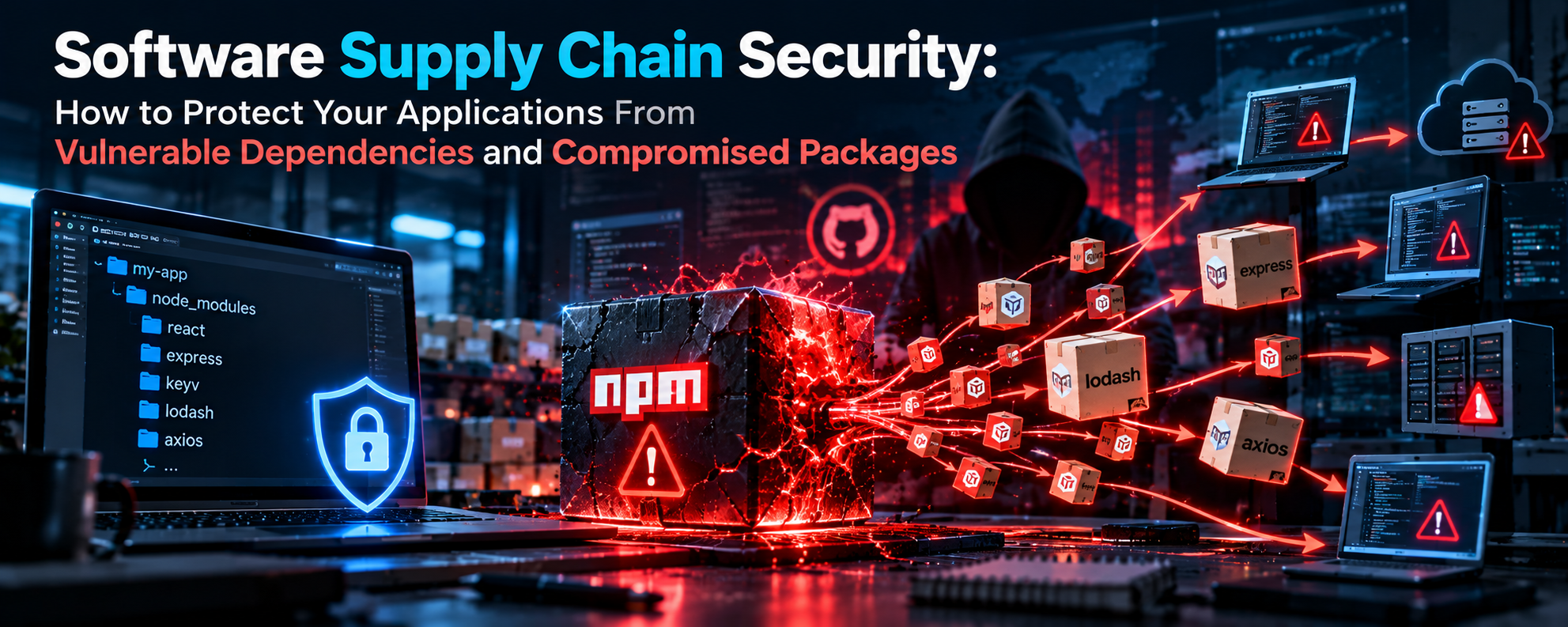
On August 4, 2026, one stolen maintainer account was enough to push a self-spreading worm into hundreds of npm packages that billions of installs depend on. Your scanner probably would not have caught it. Here is how supply chain attacks actually work, and what to do about them

That is the uncomfortable truth behind modern software. Your application is mostly code you did not write, and every line of it is a trust decision you made, often without noticing. Here is how supply chain attacks actually work, why your usual security checks miss them, and what to do about it.
That is the uncomfortable truth behind modern software. Your application is mostly code you did not write, and every line of it is a trust decision you made, often without noticing. Here is how supply chain attacks actually work, why your usual security checks miss them, and what to do about it.

The Problem: You Ship More Code Than You Write

A typical web project pulls in hundreds of packages once you count transitive dependencies, which are the dependencies of your dependencies. Each one has maintainers, accounts, tokens and build pipelines that you cannot see and do not control.

Attackers noticed this years ago. Breaking into one well-defended company is hard. Breaking into one popular package, or one maintainer’s account, is much easier, and the reward is every project that installs the next update. One poisoned release becomes thousands of compromised applications.

Vulnerable Dependency vs. Compromised Package

Feature Vulnerable Dependency Compromised Package
What it is Legitimate code with an accidental flaw Code that was deliberately tampered with or is malicious
Who causes it Well-meaning maintainers who made a mistake Attackers, stolen accounts, malicious maintainers
How it is found Public advisories and CVE databases Often unknown until researchers or registries report it
Real example Log4Shell (CVE-2021-44228) ChainDrop, the xz backdoor (CVE-2024-3094)
Main defense Scanning, patching, timely updates Install-script limits, update delays, token hygiene, monitoring
When it hurts Whenever someone finds and exploits the flaw The moment the package is installed

Why Your Scanner Cannot Catch This

Tools like npm audit compare your dependencies against a list of known vulnerabilities. That works well for accidental bugs, which get a CVE and an advisory. It does not work well for a brand-new malicious release, because nothing has been reported yet.

Even trust signals can mislead. In the ChainDrop attack, the compromised releases were built and published through the projects’ legitimate GitHub Actions workflows, so they carried valid provenance information. Provenance proves where and how a package was built. It does not prove the build was clean, because an attacker who controls the pipeline controls what gets built.

Real Incidents Worth Knowing

  • ChainDrop (August 2026): a Shai-Hulud-style worm that runs through a preinstall hook and uses stolen identities to authenticate to npm, GitHub, AWS, Kubernetes and HashiCorp Vault. It then republishes other packages the victim can publish to.
  • Red Hat npm namespace (May to June 2026): a GitHub account compromised through a malicious VS Code extension was used to inject malicious code into packages, and 32 @redhat-cloud-services packages were affected. Red Hat reported that no Red Hat products shipped with the compromised versions.
  • Mini Shai-Hulud (May 2026): a coordinated campaign across npm and PyPI that documented 373 malicious versions across 169 npm packages in a single day.
  • Mastra AI packages (June 2026): according to a published analysis, attackers took over a maintainer account and republished more than 140 packages, injecting a malicious typosquat dependency
  • xz Utils (2024): a backdoor planted in a core Linux compression library after years of building trust as a maintainer. It was caught before reaching most stable systems.
  • Log4Shell (2021): a critical flaw in Log4j that left countless applications exposed, many of whose owners did not know they used it.

How Big This Is, in Numbers

IncidentScale
ChainDrop, August 2026444+ packages, 1,381 versions in early counts
Combined monthly installs of ChainDrop-affected packages2 billion+
keyv weekly downloads (initial target)~127 million
Mini Shai-Hulud, May 2026169 packages, 373 malicious versions
Red Hat namespace compromise, June 202632 packages
Mastra AI compromise, June 2026140+ packages (reported)

How One Stolen Account Becomes Thousands of Infected Projects

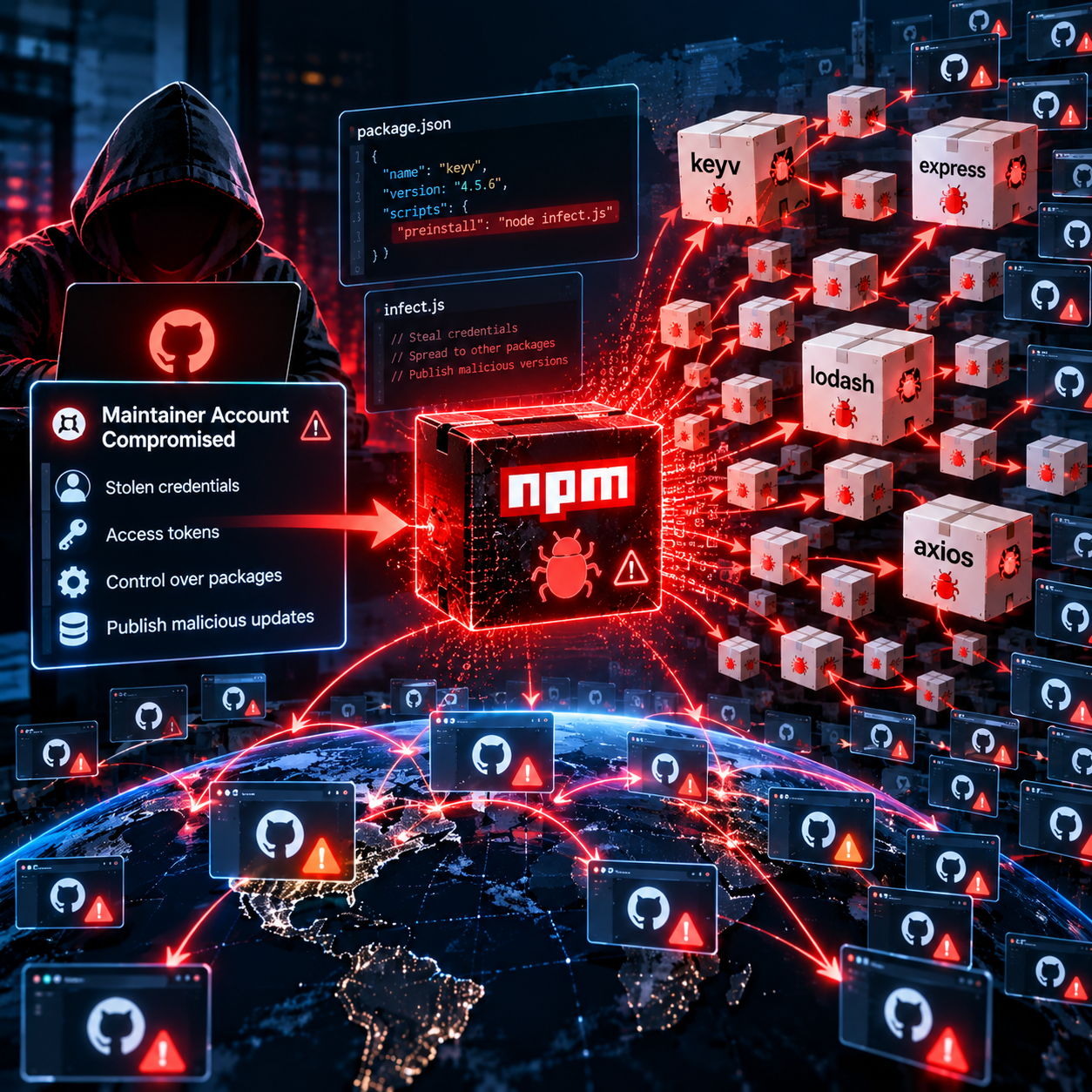
The pattern repeats across these attacks. First, an attacker steals a maintainer’s credentials, often through a malicious extension, a phishing email or a leaked token. Second, they publish a new version of a package with a hidden install script. Third, the script runs automatically when anyone installs that version. It looks for secrets such as npm tokens, GitHub tokens and cloud keys. Fourth, with those stolen credentials, it infects every other package the victim can publish, and the cycle starts again.

This is why the worm style is so dangerous. It does not need a human attacker for each step. Every infected developer machine or CI server becomes a launchpad for the next wave.

What to Actually Do About It

  1. Step 1:

    Know what you depend on: Generate an inventory of direct and transitive dependencies, ideally as an SBOM (Software Bill of Materials) stored with every release. When the next incident hits, you can answer “are we affected?” in minutes.

  2. Step 2:

    Commit lockfiles and install from them: Use npm ci (or your ecosystem’s equivalent) in CI so builds install exactly what the lockfile says instead of quietly resolving newer versions.

  3. Step 3:

    Add a waiting period for new versions: Do not adopt a release the minute it is published. Security researchers advise a soak period where new versions sit before your builds pick them up, giving the community time to catch compromises before they reach your pipelines and developer machines. Most compromised releases in these attacks were found within hours or days.

  4. Step 4:

    Block install scripts by default: ChainDrop ran through a preinstall hook, so disabling lifecycle scripts stops a large class of this malware. Allow scripts only for packages that truly need them.

  5. Step 5:

    Protect accounts and tokens: Require MFA everywhere, use short-lived and narrowly scoped tokens instead of long-lived ones, and never store publish tokens where any workflow can read them.

  6. Step 6:

    Harden CI/CD: Pin third-party GitHub Actions to a full commit hash, give workflows the least privilege they need, and keep secrets away from untrusted pull requests.

  7. Step 7:

    Secure developer machines too: The Red Hat incident started with a malicious VS Code extension. Treat editor extensions and local tooling like any other dependency.

  8. Step 8:

    Keep scanning, and have a response plan: Run SCA scans on every pull request, because known CVEs still matter. Also write down who triages an incident and how you rotate secrets if a package in your pipeline is reported as compromised.

Quick Hardening Commands

# Install exactly what the lockfile says (fails if out of sync)
npm ci

# Block install scripts by default (add to .npmrc)
ignore-scripts=true

# Check production dependencies for known vulnerabilities
npm audit --omit=dev

# Verify registry signatures and provenance attestations
npm audit signatures

# pnpm: wait 7 days before installing a new release
# (pnpm-workspace.yaml, value is in minutes)
minimumReleaseAge: 10080

Dependabot With a Cooldown Period

# .github/dependabot.yml
version: 2
updates:
  - package-ecosystem: "npm"
    directory: "/"
    schedule:
      interval: "daily"
    cooldown:
      default-days: 7

  - package-ecosystem: "github-actions"
    directory: "/"
    schedule:
      interval: "weekly"

Every dependency you install is a trust decision. Supply chain security is the habit of making that decision on purpose.

Key Takeaways

  • Modern apps are mostly third-party code, so attackers target one popular package or maintainer instead of thousands of applications.
  • Vulnerable dependencies (accidental bugs) and compromised packages (deliberate tampering) are different problems that need different defenses.
  • Vulnerability scanners only know about issues that have already been reported, so they miss brand-new malicious releases.
  • Valid provenance is not proof of safety. ChainDrop releases were built through legitimate pipelines and still carried the malware.
  • A waiting period for new versions, blocked install scripts and short-lived tokens cut off the most common attack paths.
  • Developer machines, editor extensions and CI pipelines are part of your supply chain, not separate from it.

Frequently Asked Questions

What is a software supply chain attack?

It is an attack on the code, tools or processes used to build software, such as open-source packages, build servers or update channels, instead of the finished application. Compromising one upstream piece can reach every downstream user.

Is npm audit enough to stay safe?

No. It reports publicly known vulnerabilities only. A freshly published malicious version has no advisory yet, so you also need install-script limits, update delays, lockfiles and strong account security.

Does valid provenance mean a package is safe?

Not by itself. Provenance shows where and how a package was built. If an attacker controls the maintainer account or the build pipeline, they can publish malicious code with valid provenance, as seen in ChainDrop.

Should I pin exact dependency versions?

Yes, through a lockfile, because it makes builds reproducible and blocks surprise upgrades. Pair it with automated updates and a cooldown so versions do not go stale.

What should I do if I installed a compromised package?

Isolate the affected machine or build agent, remove the bad version and rebuild from a clean state, and rotate every secret that was reachable, including npm, GitHub and cloud credentials. Then check which of your releases may have shipped the compromised code.

The Honest Bottom Line

You cannot remove third-party risk, and you should not stop using open source, which powers almost everything we build. The aim is to make attacks harder, spot them faster and limit the damage when one gets through.

The attacks in 2026 show that the weak point is often not the code itself. It is the people, accounts and pipelines around it. Start with the cheap wins: commit your lockfiles, block install scripts, delay new versions by a few days, tighten your tokens and generate an SBOM. Each one is small, but together they turn your dependency tree from a blind spot into something you can see and defend.